![paycove_logo_explore_nautical_wide-08.svg]](https://help.paycove.io/hubfs/Imported%20images/paycove_logo_explore_nautical_wide-08.svg)
If you use Stripe as your payment processor and use various Stripe accounts across different templates, you may have encountered this error message in the past:
Payment failed. Reason: "No such customer: 'cus_xxxxxx'"
This message appears in the Activity feed after a customer's payment fails.

How Paycove's Stripe Connection Works
Here's how it currently works: Once a customer pays their first invoice, a customer ID is automatically created for them in Stripe, and they become associated with the Stripe account that they are paying through. The customer cannot switch to another Stripe account after this occurs. So when the "no such customer" error appears, that means the customer cannot be found within the particular Stripe account being used.
Possible Causes and Solutions for the Error
- Most common: Cause: A customer may have been charged using one Stripe account, and later received an invoice linked to a different Stripe account. (Remember that this issue may arise when multiple Stripe accounts are linked to Paycove, either through templates or at the account level.)
- Solution: Be sure the correct template is being used for a particular customer, and then try again.
- Cause: The customer may have been deleted from Stripe.
- Solution: Search for the customer's profile in Stripe to double-check. If needed, a new profile can be created for the customer. Once created, be mindful of which template you use for them to pay their invoice.
- Cause: The customer was initially charged using an earlier Stripe account, but the Stripe account in Paycove was later updated to a different one.
- Solution: If the original Stripe account is no longer intact, then a new customer profile will need to be created. Alternatively, you can contact Stripe, and they may be able to assist you in migrating the affected customer profile(s) from one Stripe account to another.
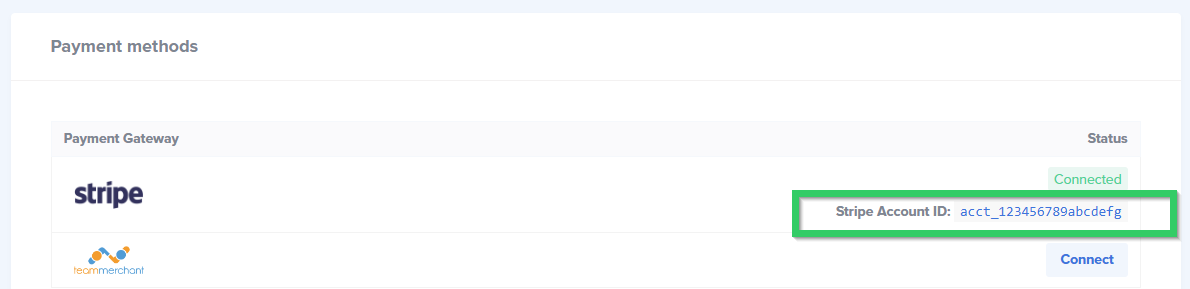
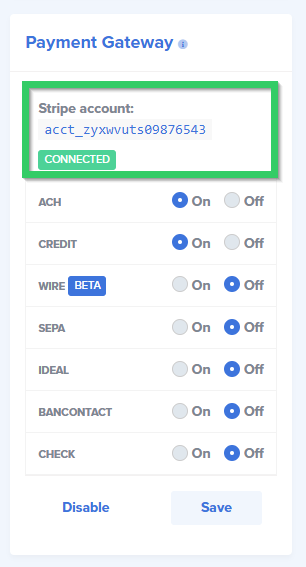
Where to Locate Your Connected Stripe Account IDs in Paycove
Your Paycove account-level Stripe ID can be found on the Payments page, and any additional template-level Stripe IDs will be found on the connected template. See images:
Paycove account-level Stripe ID
Template-Level Stripe ID
If you would like to check if a customer exists in a particular Stripe account, you can click "View Stripe Customer" on the right side panel of the invoice. This will only appear once a payment has been made.
Need further assistance navigating an issue? Then feel free to reach out to us at support@paycove.io.