![paycove_logo_explore_nautical_wide-08.svg]](https://help.paycove.io/hubfs/Imported%20images/paycove_logo_explore_nautical_wide-08.svg)
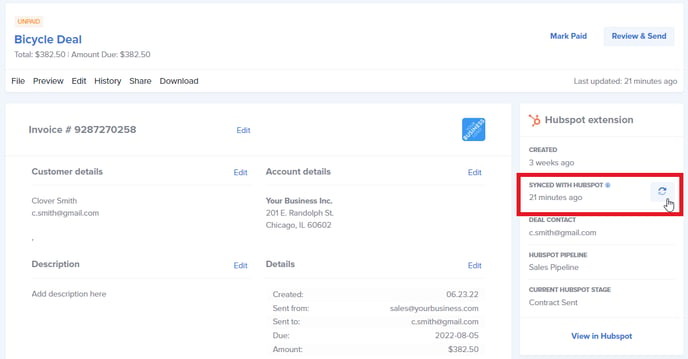
If you make changes to the deal in your CRM, you will have to re-sync the deal using the button in the upper right corner of the quote or invoice in Paycove.
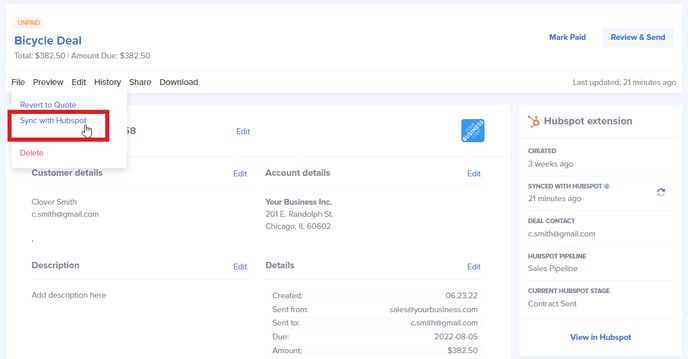
An alternate way to re-sync is by going to File>Sync with [Your CRM].
If aspects of the deal are still not syncing, you may have to delete and re-create the invoice.
Check out this article for more troubleshooting information.